Editing an excel file?
Just found the keyboard shortcut that puts the cursor inside the cell: F2.
Saves having to mouse click.
Mar 24, 2011


Jan 25, 2011
Why gmail (not hotmail?) #1 -basic
What's all the fuss about gmail? Some good features:
- Conversations
Emails are stored as conversations instead of individual messages. If you've used iphone or Andriod's messaging system, you know what I mean. It's much easier to see. (Each individual message is expandable, as well as the recipients and extra info.)

- Forgotten Attachment Detector
If you typed something like 'see attachment' in an email, then later forget to attach it, a message will pop up asking if you forgot.
This has definitely helped me! =P

- Undo Send
What? Yes, Gmail has lots of 'lab' features, and this is one of my favourite. It keeps any message you send for 5,10, 15 or 20 seconds, during which you can decide to undo. To use, go to >Settings >Labs >Undo Send >Enable (Really useful for when you realise the second after you send that you addressed the person with Mr. instead of Ms. or something embarrassing like that!)

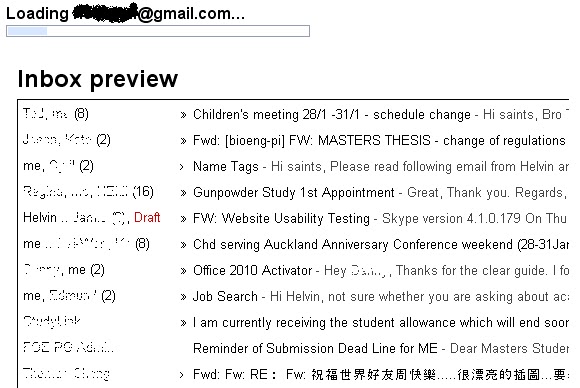
- Inbox Preview
A static sneak peak of your inbox when Gmail is loading. This lets you quickly see if you have unread mail, and saves you having to wait for your inbox to load. To use, go to >Settings >Labs >Inbox Preview >Enable
A great saver if you sometimes have slow internet connection!


Nov 17, 2010
TeXnic Center Starter
First tip: Compile (by clicking on F7) twice if working with a table of contents.
Jan 15, 2010
QDoubleValidator
QDoubleValidator is strange in that it seems to allow data that exceeds its specified range. Actually, it passes with the state 'intermediate', as opposed to 'valid' or 'invalid'. This may seem like a bug, and has been addressed in the C++ language here. Below is my PyQt implementation. It is done by subclassing QDoubleValidator, and making it more strict. (Finally it worked! =P)
class MyDoubleValidator(Qt.QDoubleValidator):
def __init__(self, bottom, top, decimals, parent = None):
Qt.QDoubleValidator.__init__(self, bottom, top, decimals, parent)
def validate(self, input, pos):
state, pos = Qt.QDoubleValidator.validate(self, input, pos)
if input.isEmpty() or input == '.':
return Qt.QValidator.Intermediate, pos
if state != Qt.QValidator.Acceptable:
return Qt.QValidator.Invalid, pos
return Qt.QValidator.Acceptable, pos
You then need to initialize an instance of this class and assign it to the widget, e.g. a lineEdit. E.g:
min = 0
max = 1000
no_decimals = 10
aValidator = MyDoubleValidator(min, max, no_decimals, myLineEdit)
myLineEdit.setValidator(aValidator)
Extra tags:
QDoubleValidator, bug, outside range, not working, QValidator, State
Oct 6, 2009
How to package the PyQt with VTK application
1. Download py2exe from http://sourceforge.net/projects/py2exe/files/
(Download the version that corresponds with your python version.)
(Download the version that corresponds with your python version.)
2. Follow instructions from http://www.py2exe.org/index.cgi/Tutorial
Basically, you need a file called setup.py, like this:
from distutils.core import setup
import py2exe
setup(console=['runui12.py'])
Then run this line in command line:
vtkpython setup.py py2exe
Subscribe to:
Posts (Atom)